
the guide · a shared list
Share the groceries.
One list for the home: bin bags, the boiler service, a card for Jo. Everyone adds, anyone ticks off, and your own list stays yours.
How it works
- Start one. On the web: settings → together → share a list, name it (“home”, “flat 3”) and tap make a shared list. In the phone apps it’s settings → together → share a list.
- Invite them. Tap invite someone and drop the link in the family chat: one link works for everyone you send it to, for 7 days, up to six people. Nothing joins without them saying yes.
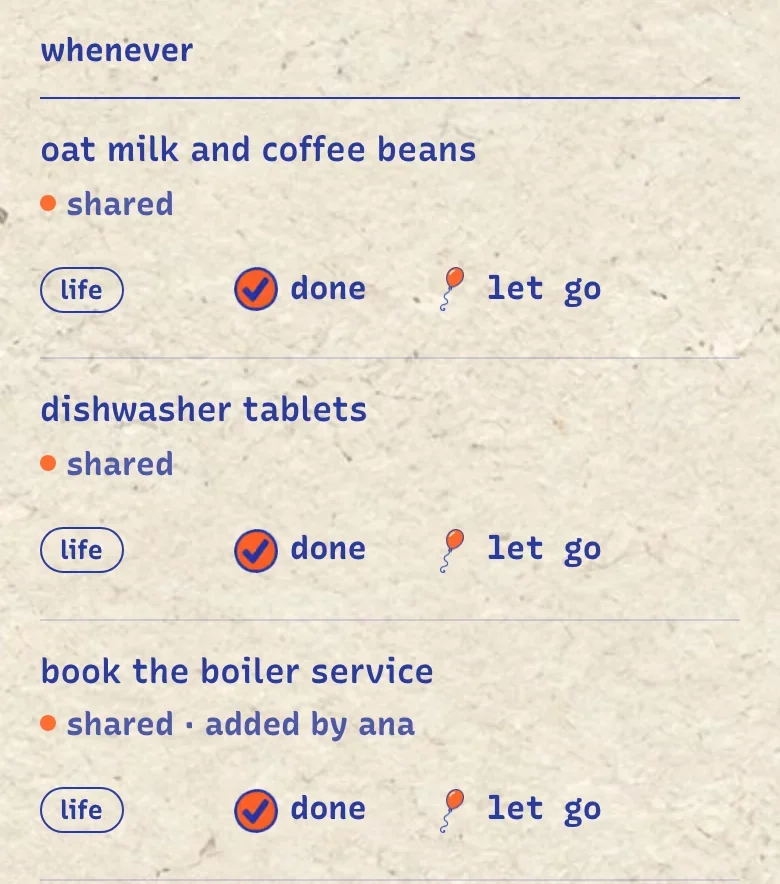
- Share as you dump. Tap share with home in the add box and it lands in everyone’s later, marked shared and with who added it. It’s off by default, every time, so nothing private slips onto the list. Later’s home view shows just the shared list (sharing is already on there), and wishes can be for home too: “a week in Lisbon, all of us”.
- Done is done for everyone. Whoever buys the bin bags ticks them off, and the others see it for a day under done at home(“bin bags · Ben, this morning”). Each of you still picks your own three: if someone already picked a shared thing, it says on Ben’s day, so nobody doubles up.
- Already have it? Open the thing → share → at home, and it moves onto the shared list, checklist and all.
What's shared, what's not
| everyone in the home sees | stays yours |
|---|---|
| Things you put on the shared list | Your own later and wishes |
| The notes on those things | Notes on everything else |
| Who added them (first name and handle), who finished them | Your projects |
| Ticking them off (anyone can) | Today: everyone picks their own three |
| The checklist on a shared thing, and who ticked each line | Your own checklists |
That’s the whole list. Members never see your today, your own later, your wishes, your projects or your private notes. Only put things on the shared list you’re happy for its members to read. One small extra: when you talk to nuffo in chat, it sees the shared things too (with the first name of whoever added them), so it can help with them.
Your three stay yours
Nuffo keeps each person to three things a day, and a shared list doesn’t change that. Shared things land in later for everyone, never on anyone’s today. If you pick one, it counts as one of your three and sits on your day only. When someone else finishes it, it’s done for everyone, and your recent changes say so: “ana finished ‘oat milk’.” The undo stays with whoever did it.
Reminders work per person: on a shared thing that’s one of your three, you set your own time and it rings only for you.
Who’s in charge
Whoever starts the list is its owner. The owner can:
- Remove someone. Tap remove next to their name. They stop seeing the shared list; what they added stays on it.
- Withdraw the link. Sent it to the wrong chat? withdraw the link and it stops working. A new link replaces the old one.
- Decide who invites. members can invite is off at first, so only you make links. Turn it on to let others invite too; turning it off again withdraws the links they made.
If the owner leaves, the list passes to the person who’s been in it longest. When the last person leaves, the list closes and every shared thing goes back to whoever added it, as their own.
Real homes, real lists
- A family of four. One “groceries: oat milk, dishwasher tablets, rice” is one thing with a checklist. Whoever’s at the shop ticks the lines (“rice · Ben”), so nobody buys a second bag. The school trip form is its own thing, with the deadline in its note.
- Flatmates. “bins out every tuesday” on the shared list repeats for everyone (see repeating tasks). Add the boiler service once, with the landlord’s number in the note.
- A couple. A card for Jo, book the vet, the gutter. One of you picks the vet as one of today’s three; the other one’s day stays theirs.
- Helping a parent. Two siblings and a mum share the prescriptions, the hearing-aid batteries and the garden. Everyone sees what’s done without a group chat full of “did anyone…?”
Like paper on the fridge too? The free chore chart prints a week for up to five people, three chores each a day, no stars and no scores.
Leaving, and deleting your account
Anyone can leave from settings (leave home, then yes, leave). What you shared stays with the others, nothing of yours goes with them, and the shared things leave your days from today on. Deleting your account works the same way: everything of yours is gone, except what you added to the shared list, which stays for the people still using it.
Just one thing, with someone outside the home
Packing for Lisbon with a friend, a party with a co-host, a parent’s move. Open the thing → share → invite someone and send the link. It works for a week, for up to six people in all, and they see only that thing: its words, its checklist and who’s in.
- What they can do. Tick lines, add lines and move the enough line. Their note on it is their own. They can copy to mine to keep a version of their own, or leave anytime.
- Done is done for everyone. Anyone in marks it done, and it closes for all of you.
- Stop sharing. They keep a copy, unless you say no.
- Limits. At most 20 shared things open per person. A thing is shared at home or by invite, never both.
If something’s off
- “That invite link is used, expired or wrong.” Links last 7 days, and a new link replaces the old one. Ask for a fresh one; it takes two taps.
- “You're already in a household.” You can be in one household at a time. Leave the old one in settings first, then open the invite again.
- “A household holds six people at most.” Six is the limit. The owner can remove someone to make room.
- “Only the household's owner can invite people.” Ask the owner for a link, or ask them to turn on members can invite.
- “Shared things need a household first.” You tried to share before starting or joining one. Do that in settings, then share again.
- “Shared things stay on the household's list.” A shared thing can't join one of your projects or go to the 7-day wait as a big idea. Let it go and add it to your own list instead.
- “Six people at most on one thing.” An invited thing holds you plus five. Take someone off it in share → who's in to make room.
- “That one can't be shared that way.” A thing is shared at home or by invite, never both, and a thing someone shared with you can't be shared on. Stop sharing it one way first, or copy it to yours and share that.
- “You already have 20 shared things open.” That counts things others shared with you. Finish one, or leave one you're done with, then join again.
- “Only the person who shared it can do that.” Renaming, inviting, taking people off and stopping sharing are the owner's. Your note on it is yours to change.
Good to know
- Up to six people. A partner, flatmates, the kids. One household each.
- The owner decides. Only the owner invites, unless they let members invite too. The owner can remove people and withdraw open invites.
- Your three stay yours. Shared things land in later for everyone. Nothing shared ever lands on anyone's today by itself.
- Invites expire. A link lasts 7 days and stops at six people, so an old message in a group chat can't let a stranger in later. Withdraw it anytime.
- Never public. Shared lists don't appear on public pages, and leaving keeps the shared things with the home.
- Free. Sharing a list is part of Free, on the web, iPhone and Android.
Quick answers
Is the shared list free?
Yes. Sharing a list is part of Free, on the web, iPhone and Android.
Do the people I invite need Nuffo?
Yes, a free account. The invite link walks them through signing up, then brings them straight back to join.
Can someone see my whole list?
No. Only the things you put on the shared list, and the notes on those. Your own list, projects, wishes and today stay private.
How many people can share a list?
Up to six. You can be in one household at a time; to join another, leave the first.
What happens when someone leaves?
They stop seeing the shared list. Things they added stay with the home, so nothing on the list disappears.
Can I share with someone who doesn't live with me?
Yes, one thing at a time: open it → share → invite someone. One link, a week, up to six people in all. They see only that thing.
Can a shared thing be one of my three?
Yes, if you pick it. It still counts against your own three, and it never lands on anyone else's today.
Can a shared thing repeat?
Yes. Say "every tuesday" when you dump it, or set repeats in its details. The next one comes back to the shared list for everyone.