
an honest comparison · checked September 2026
Nuffo vs. the other to-do apps.
Todoist, TickTick, Things, Sunsama, Reminders, Notion, paper. Where each one is better than us, where Nuffo is different, and which one you should actually pick.
First, the honest bit.
Most of these apps are older, bigger and more polished than Nuffo. Some have had a decade and a team of dozens. If you love yours, keep it. Really.
Nuffo is new and small, and it does one thing differently: it says no. Three things a day. Three projects. New ideas wait a week. That’s not for everyone, and this page tries to say so plainly.
The big table.
Plenty of dashes in our own column. We’d rather you knew now. Tap a name for the full comparison.
yes. yes partly. partly, or paid only no. no not sure. we couldn’t confirm
| Feature | nuffo | Todoist | TickTick | Things 3 | Sunsama | Microsoft To Do | Apple Reminders | Google Tasks | Any.do | Notion | Motion | Structured | Pen & paper |
|---|---|---|---|---|---|---|---|---|---|---|---|---|---|
| Free plan | yes. everything, while we're young | yes. 5 personal projects | yes. 9 lists, 99 tasks each | no. free trial on Mac | no. 14-day trial | yes. free | yes. built in | yes. free | yes. tasks, reminders, daily planner | yes. unlimited pages, AI as a trial | no. free trial | yes. most features | yes. cost of a pen |
| Paid plan | partly. Pro planned at $9/mo, not on sale yet | yes. Pro $5/mo yearly, $7 monthly | yes. ~$36–50/yr (often discounted) | yes. one-time: Mac $49.99, iPhone $9.99, iPad $19.99 | yes. $17/mo yearly, $22 monthly | no. none | no. none | no. none | yes. Premium $4.99/mo yearly, $7.99 monthly | yes. Plus $8/seat yearly, $10 monthly | yes. Pro AI from $19/mo, less yearly | yes. Pro ~$20/yr, or ~$65 lifetime | no. |
| Native phone & desktop apps | no. installable web app; iOS app planned | yes. iOS, Android, Mac, Windows, Watch | yes. iOS, Android, Mac, Windows, Watch | partly. Apple devices only | yes. iOS, Android, Mac, Windows, Linux | yes. Windows, Mac, iOS, Android | partly. Apple devices only | partly. iOS & Android only | yes. iOS, Android, Mac, Windows, Watch | yes. iOS, Android, Mac, Windows | yes. iOS, Android, Mac, Windows | yes. iOS, Android | no. |
| Works in a browser | yes. | yes. | yes. | no. | yes. | yes. | partly. on iCloud.com | partly. side panel in Gmail & Calendar | yes. | yes. | yes. | yes. | no. |
| Caps your day | yes. 3 things a day, 3 projects | no. optional daily goal | no. | no. Today + This Evening | partly. workload warning, not a hard cap | partly. My Day resets nightly, no cap | no. Today smart list | no. | partly. Plan My Day, no cap | no. build your own | no. fills your calendar | partly. your day is a timeline | yes. 6 things (Ivy Lee) |
| Makes new ideas wait | yes. 7 days | no. | no. | no. has a Someday list | no. | no. | no. | no. | no. | no. | no. | no. | no. |
| AI sorts a brain dump | yes. today / later / wishes | partly. Ramble turns speech into tasks | partly. AI features on Premium | no. | partly. AI included in Pro | no. | partly. Auto-Categorize (Apple Intelligence) | no. | partly. AI on Premium | partly. Notion AI, fully on Business | yes. AI planner | partly. Structured AI (Pro) | no. |
| Voice capture | yes. talk, it splits the ramble | yes. Ramble | not sure. | partly. via Siri | not sure. | not sure. | yes. Siri | partly. via Gemini | not sure. | not sure. | not sure. | not sure. | no. |
| Repeating tasks | no. | yes. | yes. | yes. | yes. | yes. | yes. | yes. | partly. Premium only | yes. database templates | yes. | partly. Pro only | no. |
| Reminders at a set time | partly. morning email, no push yet | yes. | yes. | yes. | not sure. | yes. | yes. time and place | yes. | yes. incl. WhatsApp | yes. | yes. | yes. | no. |
| Calendar / time-blocking | no. | partly. calendar views, durations on Pro | yes. calendar views on Premium | partly. shows your events in Today | yes. timeboxing | partly. Outlook tasks | partly. | yes. shows in Google Calendar | yes. | yes. Notion Calendar | yes. auto-scheduling | yes. timeline, calendar import on Pro | no. |
| Shared lists | no. | yes. | yes. 2 people free, more on Premium | no. | partly. share your plan to Slack/Teams | yes. | yes. | partly. assign tasks in Docs & Chat | yes. Family & Teams plans | yes. | yes. teams | no. | partly. hand it over |
| Streaks or points | no. on purpose | yes. Karma streaks and points | partly. habit streaks | no. | no. | no. | no. | no. | no. | no. | no. | not sure. | no. |
| Official MCP (Claude, ChatGPT) | yes. plus Claude Code & Cursor hooks | yes. | yes. | no. community servers only | yes. | no. | no. | no. Gemini only | no. none found | yes. | yes. | no. none found | no. |
Different tools, different jobs.
Big organizers
Hold everything, forever, beautifully. More features than you'll ever need.
- TodoistThe big, fast, grown-up to-do list. Every platform, great filters, lots of integrations.nuffo vs Todoist →
- TickTickA to-do list with a whole toolbox attached: calendar, Pomodoro timer, habit tracker, Eisenhower matrix.nuffo vs TickTick →
- Any.doTasks, calendar and a daily planner in one app, with family sharing and reminders on WhatsApp.nuffo vs Any.do →
- NotionA blank canvas for docs, wikis and databases. You can build any to-do system you can imagine.nuffo vs Notion →

Calendar planners
Fit your tasks into hours. Great if your day is meetings.
- SunsamaA calm daily planner for knowledge workers: a guided morning ritual, timeboxing, and a gentle shutdown.nuffo vs Sunsama →
- MotionAn AI that schedules your tasks into your calendar for you, and re-plans when things move.nuffo vs Motion →
- StructuredA visual timeline of your day. Very popular with people who think in time, and with a lot of ADHD folks.nuffo vs Structured →

Already on your phone
Free, built in, good enough for lots of people.
- Microsoft To DoFree, simple lists that fit right into Outlook and Microsoft 365. My Day gives you a fresh start every morning.nuffo vs Microsoft To Do →
- Apple RemindersFree, built into every Apple device, with Siri and (on iOS 26) Apple Intelligence sorting your lists.nuffo vs Apple Reminders →
- Google TasksFree, simple tasks that live inside Gmail and Google Calendar. Gemini can now add tasks for you.nuffo vs Google Tasks →
Simple and lovely
Small, polished, a pleasure to use.

Paper
The original. Still undefeated on privacy.
So why a limit?
Most to-do apps are brilliant at holding things. The list gets longer, every tool gets better at storing it, and the list never ends. You open the app, see forty things, and do none of them.
Nuffo holds everything too: in later and wishes, out of sight. But today only ever shows three. Finish those, and the rest of the day is yours.
No streaks. On purpose.
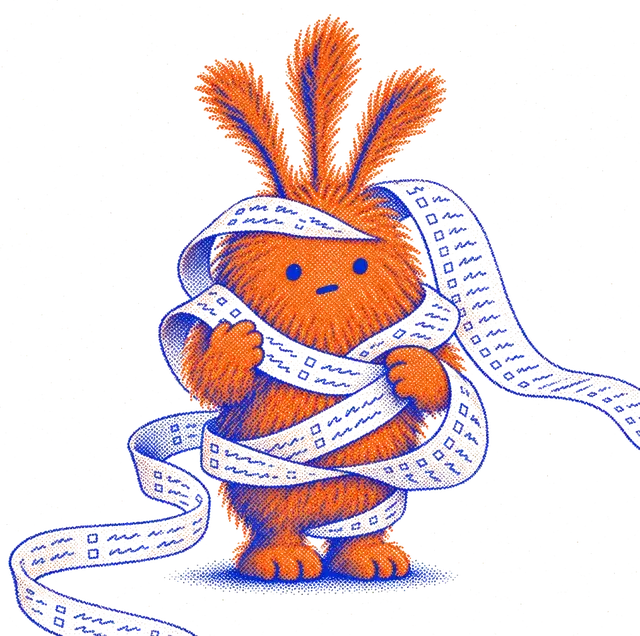
Some apps give you points, streaks and levels, and plenty of people love that. We don’t do it: a streak you can lose turns a bad Tuesday into a guilt trip. Nuffo just sends a card on Sunday with what you finished.
Which one is for you?
- You want one app for everything, forever
- Todoist or TickTick
- You're all-in on Apple and love great design
- Things 3
- Your day is meetings and you think in hours
- Sunsama, Motion or Structured
- You want free and already installed
- Apple Reminders, Google Tasks or Microsoft To Do
- You love building your own system
- Notion
- You like a pen
- Paper. Seriously.
- You start too much, your list never ends, and you'd like someone to say “three”
- Nuffo
Quick answers
What makes Nuffo different from other to-do apps?
It limits you. Today holds at most three things, you can have at most three projects, and a brand-new project idea waits seven days before it can start. You dump everything; Nuffo sorts it into today, later and wishes.
Is Nuffo free?
Yes. Everything you see is free right now. A Pro plan is planned at $9 a month; it isn't on sale yet, and parking, undo and export will never be paywalled.
What doesn't Nuffo do?
No native phone apps yet (it's an installable web app), no repeating tasks, no push reminders, no calendar, no shared lists, no offline mode, and English only. If you need those, the apps on this page do them well.
Can I use Nuffo alongside my current app?
Yes, and many people should. Keep your big list where it is and use Nuffo to decide the three things that matter today.
How did you check these facts?
From each app's own pricing and help pages, in September 2026. Prices change; if something here is out of date, tell Thomas at @thomaskanze or hello@nuffo.app and we'll fix it.